Getting Started with VIM for IFC
Overview
The VIM IFC Exporter is a simple desktop application which enables you to convert IFC files into VIM files.
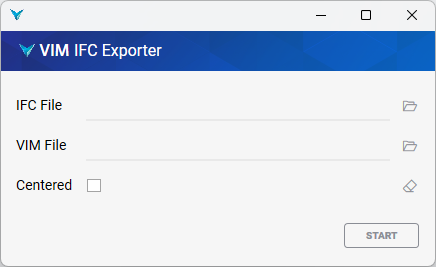
How to Export VIM files from IFC
Please follow the steps below to export a VIM file from an IFC file.
-
Ensure you have the VIM Flex Installer downloaded and installed. It includes the VIM IFC Exporter application.
-
Open the VIM IFC application from the Windows start menu.
-
Choose the input IFC file.
-
Choose the output VIM file path.
-
Enable the Centered option if you want to center the origin of the exported VIM file around the average transform of each object.
-
Click Start
-
When the process has completed, click Open VIM to open the file in VIM Flex.