Introduction

Hi there!

Have you ever dealt with a BIM project so big and so complex that you could never view it all in one go? Do you ever wonder what the subcontractors actually did to your BIM model last week? last month? last year? Do you have trouble falling asleep at night because you don't know whether your MEP model is actually aligned to your structural model? Do you feel an intense pressure to deliver a quantity take-off but the architect didn't provide any schedules, then fell off the face of the Earth? Do you need to provide a carbon footprint analysis of your model but have nobody to turn to?

If you or someone you work with has answered "YES, PLEASE [deity] HELP ME" to any of the questions above, then you're in the right place. And if you're not, stick around anyway!

Here at VIM, we want to soothe those aches and pains with the best tools to help you wrangle the biggest, gnarliest BIM projects. BIM is complex stuff, and we handle it all. Ever seen a 2.3 million triangle pump in a closet? What about a project with 55 million parameters? We have, and we eat that for breakfast.

With VIM, you can visualize and analyze the world's biggest, most detailed BIM models sourced from Revit, Navisworks, or IFC using VIM Flex and VIM Enterprise and Power BI.

VIM Flex 💪

VIM Flex

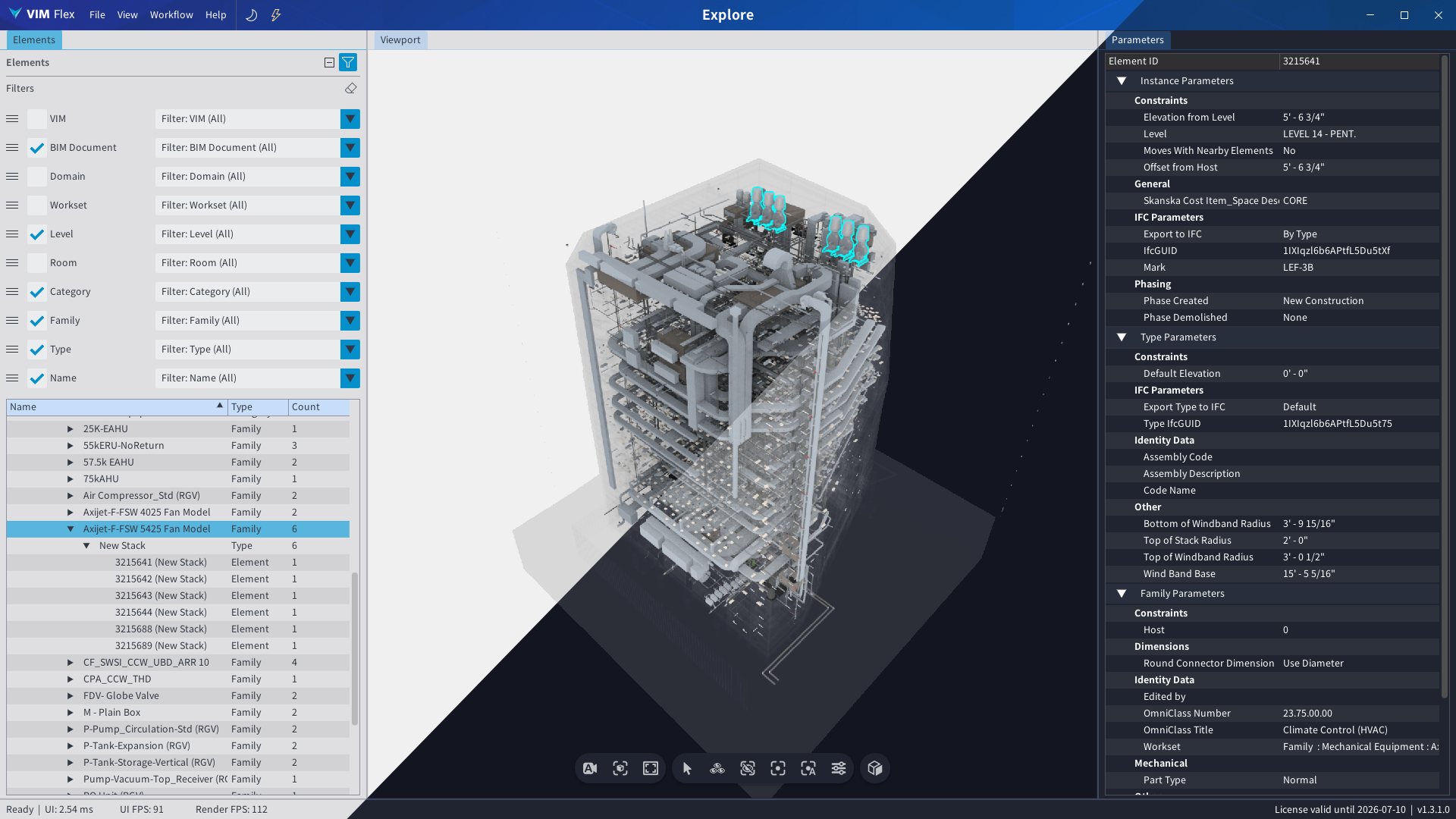
VIM Flex lets you quickly load a fully coordinated LOD 500 BIM digital twin and get cracking with the important things like:

VIM Enterprise & Power BI 🥪

Oh, hi again! "Power BI" caught your eye, did it?

It's about a dashboard, right?

You want a nice BIM dashboard...

You want a dashboard so nice that it can standardize the way your team works on BIM projects, don't you?

Something like this?
Go ahead, hover over it... VIM Power BI Best Practices Dashboard Well we've got you covered. LOCK IN.

VIM Enterprise and Power BI are like a peanut butter and jam sandwich. VIM Enterprise brings the peanut butter (i.e. the BIM data), and Power BI is pretty much the rest of the sandwich. With the two combined, you can:

  1. Share fully interactive and customized 3D BIM model reports on the web with your team members and stakeholders.

  2. Automate the analysis of your BIM model's compliance relating to your project's naming conventions, parameter values, materials, warnings, worksets, rooms, and level associations, and that's just the tip of the iceberg.

  3. Connect your BIM model to other services like ACC, Assemble, and to your good old trusty Excel files to analyze and visualize your own data in an interface tailored just the way you want it.


    Joining Your Data 🔑

    All you need is a common key which links your extra data to the BIM model and you're set. This can be element IDs, specific parameters, categories, family types, room names, etc.

Eye Candy 🍬

Dashboards are great and all, but if you're anything like me, I'll bet your eyeballs are hungry for some cool 3D stuff with a bunch colors right about now.


In the clip above, we've got a color-coded breakdown of all the 3D elements by level in Power BI so you can see which ones have actually been modeled on the right levels. This way, you can catch the elements that would cause you some real headaches later when you're making level schedules for quantity take-offs and estimations.

You can get that report and others like it in our fully customizable VIM Power BI template, available in VIM Enterprise!

VIM Menu

We hope you're hungry for what we've cooked up!

Convert your Autodesk Revit projects into VIM files. Convert your Autodesk Navisworks projects into VIM files. Convert your IFC projects into VIM files. Quickly import VIM files into Autodesk 3ds Max, so you can spend more time with your loved ones. Open, analyze, and compare VIM files with our high-performance native renderer.
✅ Includes VIM Ultra to stream the biggest models directly into Power BI.
➕ Extra: "Diff" and "Mesh Audit" workflows - Free Trial Available Now | Full pricing: Contact Us Convert your BIM models from Revit, ACC, Navisworks, and IFC into customizable Power BI reports.
✅ Includes VIM Flex and all the exporters
✅ Scheduled automatic processing
✅ Fully customizable Power BI template
✅ Completely self-hosted, ideal for sensitive projects
✅ VIM consulting services to help you build a BIM strategy using VIM workflows. The VIM file format is open source and MIT licensed. The VIM web viewer is open source and MIT licensed. A collection of programming libraries and tools which let you skip the hard part of extracting data from Revit and IFC and get to the good stuff - making your own software.

If you would like to know more, we would be thrilled to chat and discover what we can do for you. Book some time with us today!